dmesg --follow
[ 66260400.000 ] posts.x: Full talk on two vLLM Mamba bugs, the scheduler ordering issue and the int32 overflow, and how the AI21 team traced both through logprobs.  |   [ 66260400.000 ] posts.x: Two production bugs in vLLM's Mamba support produced zero crashes and zero errors, only confidently wrong output. @aiDotEngineer published "Two Bugs…  |   [ 66257640.000 ] posts.x: @mattpocockuk @davekiss @poteto @dexhorthy @emilkowalski 🤣 brilliant!  |   [ 66255540.000 ] posts.x: @yoheinakajima 👊  |   [ 66254340.000 ] posts.x: @yoheinakajima Shockingly quick response!  |   [ 66251100.000 ] posts.x: Full talk on FriendliAI's four-pillar rebuild for agent inference, from prefix caching to cache-aware routing:  |   [ 66251100.000 ] posts.x: A tower defense game, built by two different models on the same coding-agent task: one run cost $1.50, the other 27 cents. @bgchun, founder and CEO…  |   [ 66243600.000 ] posts.x: Full talk on what's changed in quantization, KV caching, and speculative decoding since Philip's book came out:  |   [ 66243600.000 ] posts.x: A quantization method called TurboQuant promised to shrink the KV cache down to four bits this year, then turned out to cut tokens per second by more…  |   [ 66230100.000 ] posts.x: Curious what The Godfather thinks of this. @HamelHusain  |   [ 66229560.000 ] posts.x: @lukebfox1 This was such a great game! We used to have all-night LAN parties on this one!  |   [ 66229440.000 ] posts.x: Astounding!  |   [ 66179400.000 ] posts.x: Full talk on the harness layers, the files-vs-databases tradeoff, and context rot:  |   [ 66179400.000 ] posts.x: Most of what makes an AI agent reliable has nothing to do with the model itself. In "Total Recall: Agent Memory and Harness Engineering,"…  |  
corey@gallon.me:~/til$

Emmet Abbreviations in VSCode

FIGURE 1 ⋅ Emmet Abbreviations in VSCode

Apparently there’s this plugin for many IDEs called Emmet which makes writing HTML very fast!

Here’s the Emmet Cheat Sheet

Here’s a great video on it:

https://www.youtube.com/watch?v=V8vizNQKtx0

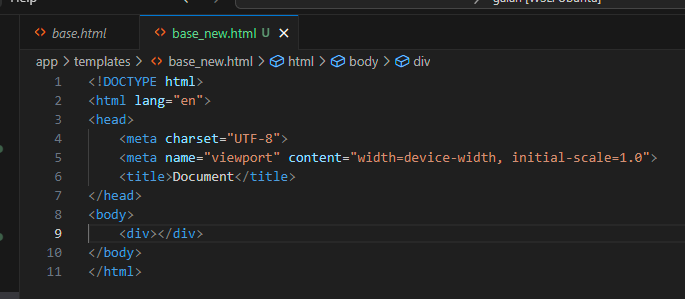
Start all HTML projects by just typing !:
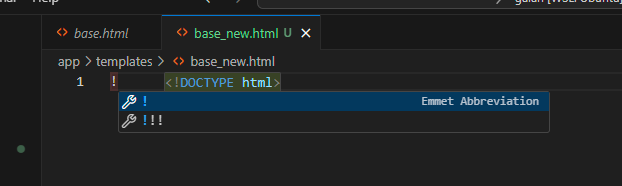
start html file.png
FIGURE 2 ⋅ start html file.png

Then, hit ENTER (not Tab) to complete to this boilerplate!
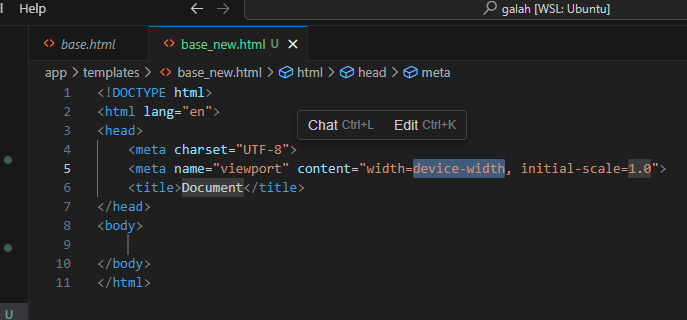
enter completes.png
FIGURE 3 ⋅ enter completes.png

Start by typing the name of the tag you want … then hit ENTER (not Tab) to complete.

e.g. div (ignore Cursor’s autocomplete suggestions behind it)
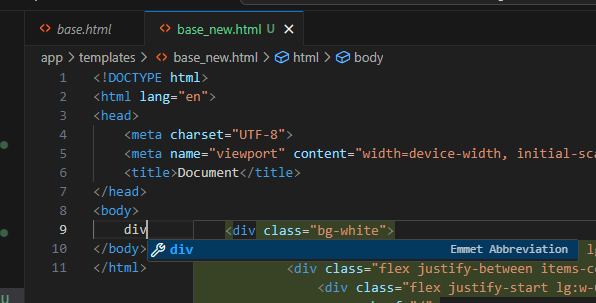
div.png
FIGURE 4 ⋅ div.png

Then, ENTER:

div complete.png
FIGURE 5 ⋅ div complete.png

That works with any HTML element. It gets even better, though. You can quickly generate CSS and other HTML attributes.

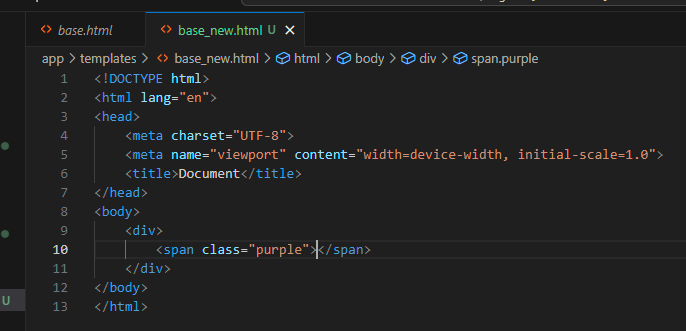
For example, a <span> with the CSS class purple:
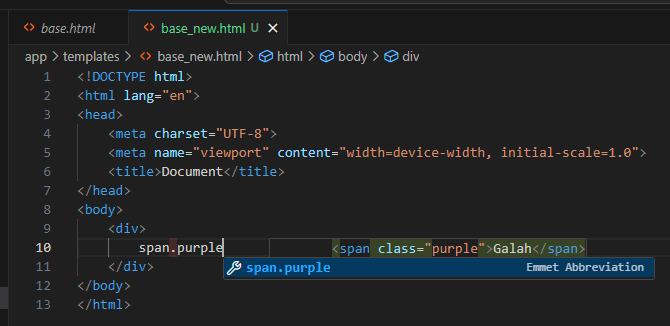
span purple.png
FIGURE 6 ⋅ span purple.png

ENTER completes it to:

span purple complete.png
FIGURE 7 ⋅ span purple complete.png

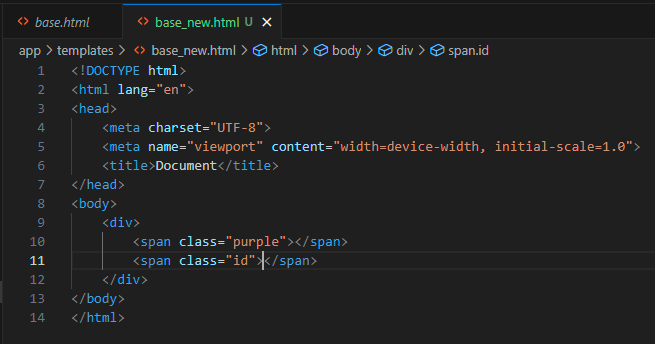
Similarly, adding an id= attribute to an element:
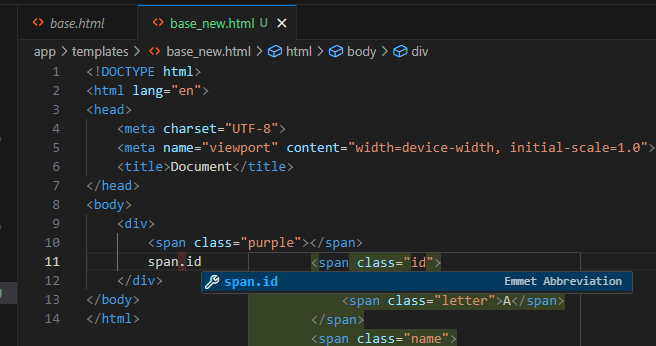
span purple id.png
FIGURE 8 ⋅ span purple id.png

ENTER completes to:

span purple id complete.png
FIGURE 9 ⋅ span purple id complete.png

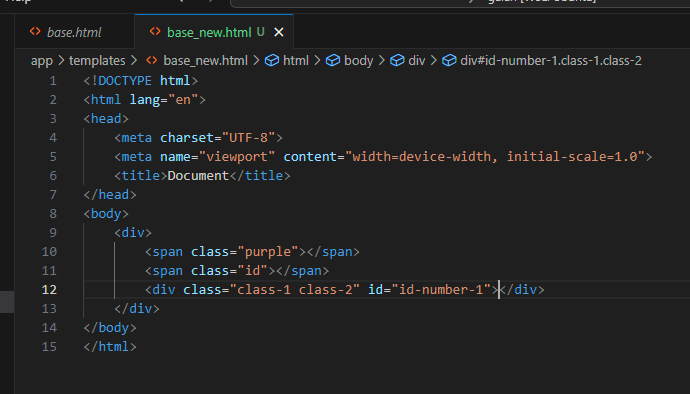
You can complete all of the attributes you want for an element by chaining them as so:
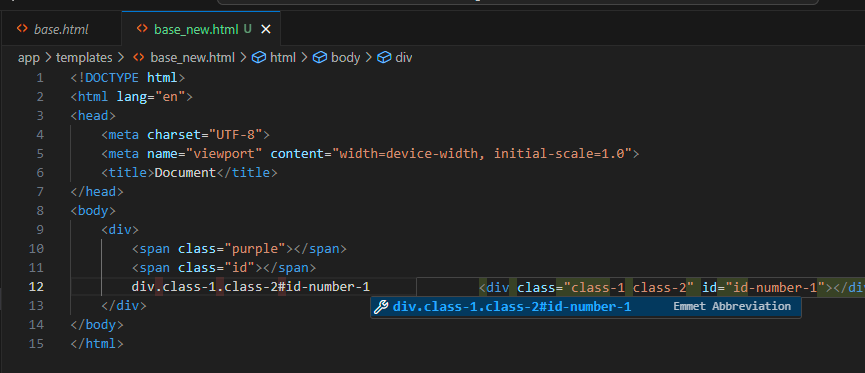
div class id.png
FIGURE 10 ⋅ div class id.png

ENTER completes to:

div class id complete.png
FIGURE 11 ⋅ div class id complete.png

You can write these things the way that CSS Selectors are written.
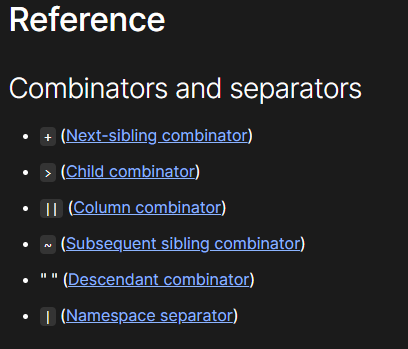
CSS selectors.png
FIGURE 12 ⋅ CSS selectors.png

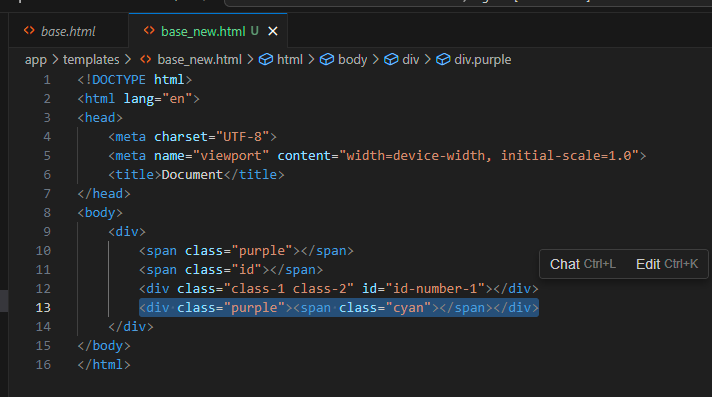
So, a <div> with a class of purple and a child <span> with class cyan is:
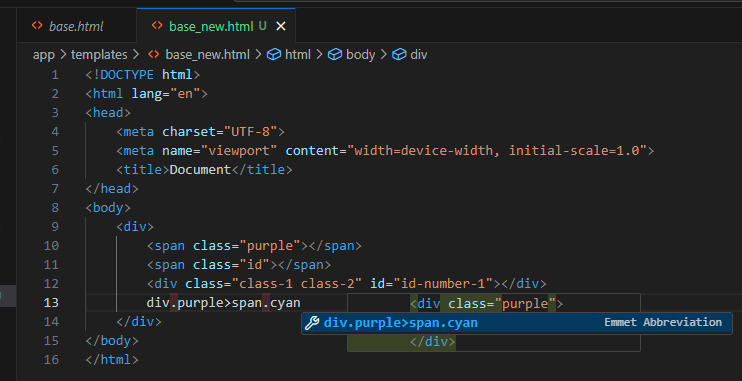
div purple span cyan.png
FIGURE 13 ⋅ div purple span cyan.png

ENTER completes to:

div purple span cyan complete.png
FIGURE 14 ⋅ div purple span cyan complete.png

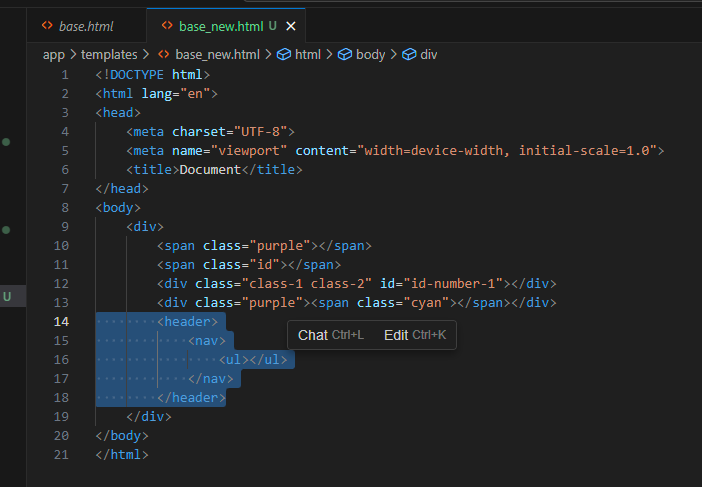
You can nest all of your elements similarly:
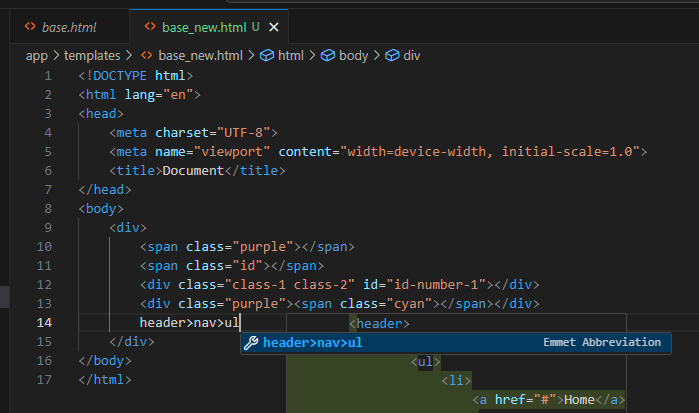
header nav ul li.png
FIGURE 15 ⋅ header nav ul li.png

Becomes:

header nav ul complete.png
FIGURE 16 ⋅ header nav ul complete.png

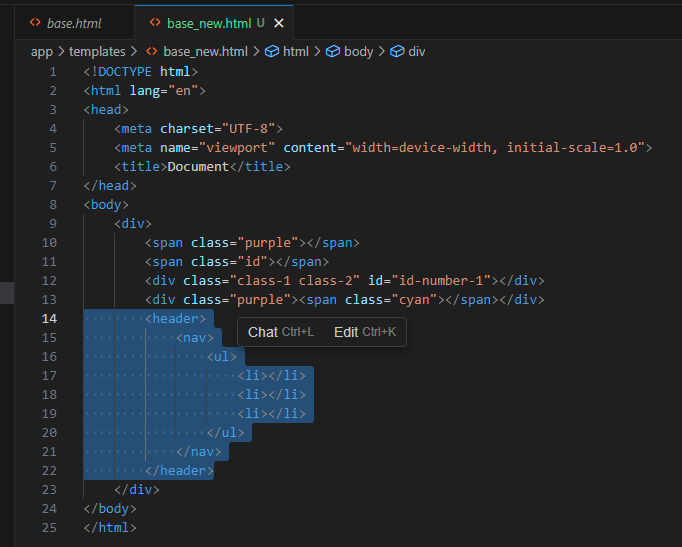
If you wanted 3 <li> elements as children of the <ul>, you can use * multiplication:
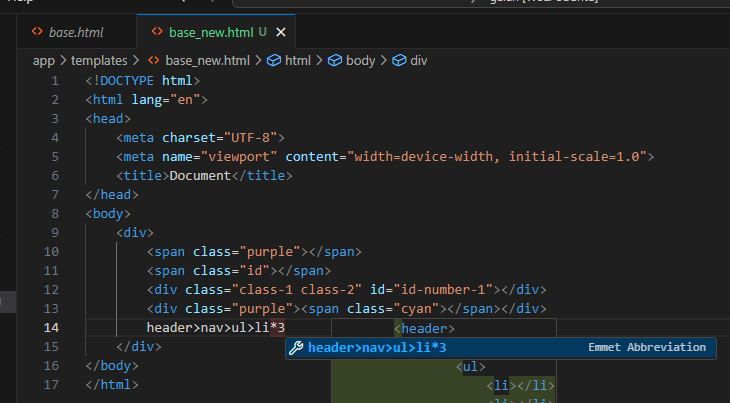
header nav ul li 3.png
FIGURE 17 ⋅ header nav ul li 3.png

Becomes:

header nav ul li 3 complete.png
FIGURE 18 ⋅ header nav ul li 3 complete.png

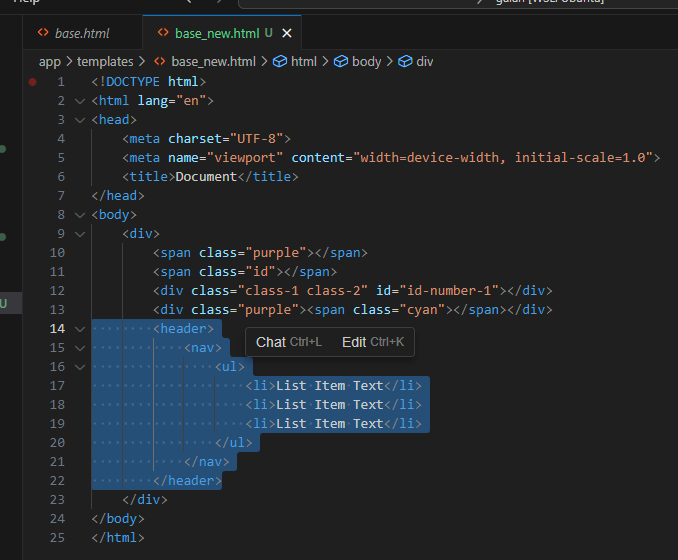
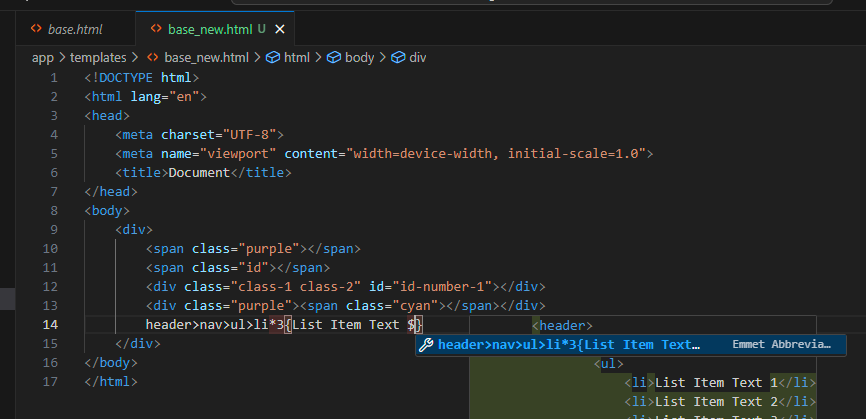
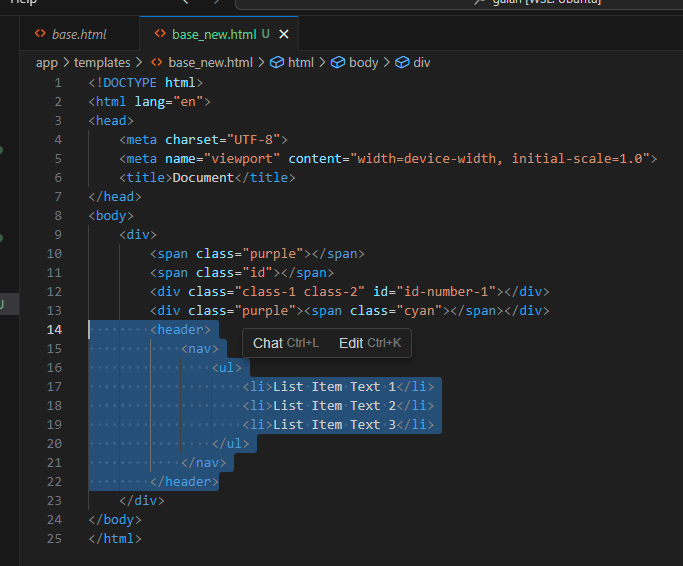
Want to add text to each of those <li> elements? Use the { } operators:
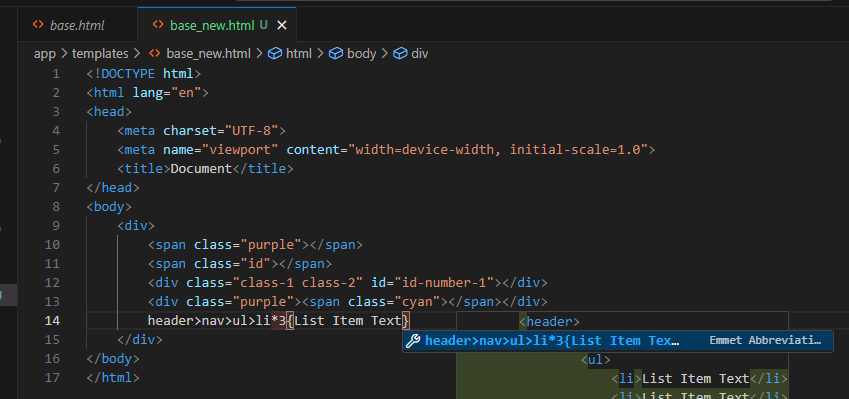
header nav ul li 3 text.png
FIGURE 19 ⋅ header nav ul li 3 text.png

Becomes:

header nav ul li 3 text complete.png
FIGURE 20 ⋅ header nav ul li 3 text complete.png

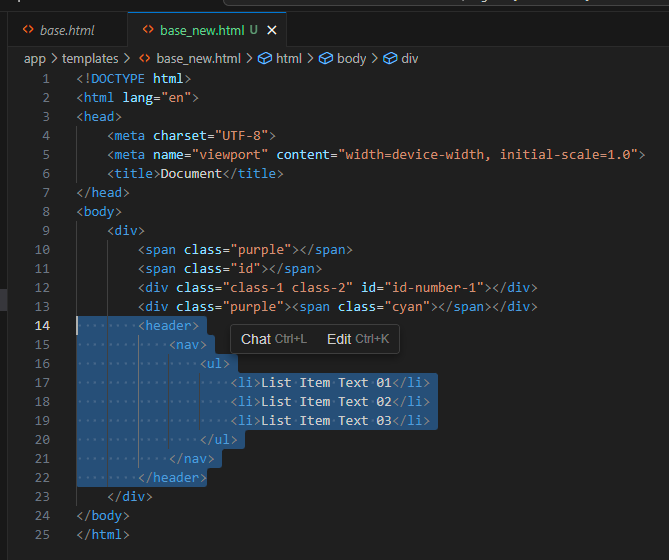
Add numbers to those list items:

header nav ul li 3 text 1 2 3.png
FIGURE 21 ⋅ header nav ul li 3 text 1 2 3.png

Becomes:

header nav ul li 3 text 1 2 3 complete.png
FIGURE 22 ⋅ header nav ul li 3 text 1 2 3 complete.png

The $ operator can be used in any other attribute also. e.g. .class$ becomes .class-1, .class-2, etc …

Add additional $ to zero-pad the numbers.
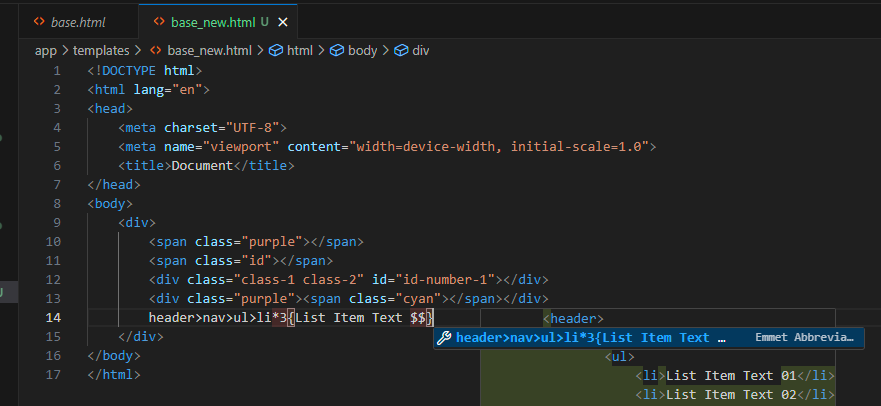
zero padded.png
FIGURE 23 ⋅ zero padded.png

Becomes:

zero padded complete.png
FIGURE 24 ⋅ zero padded complete.png

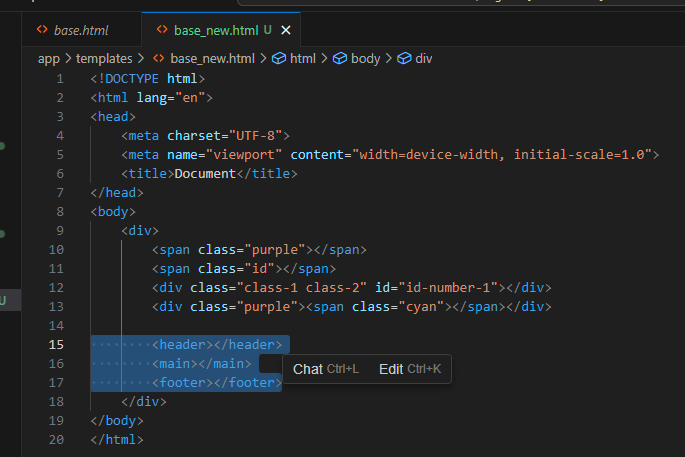
Add sibling elements using the + operator.
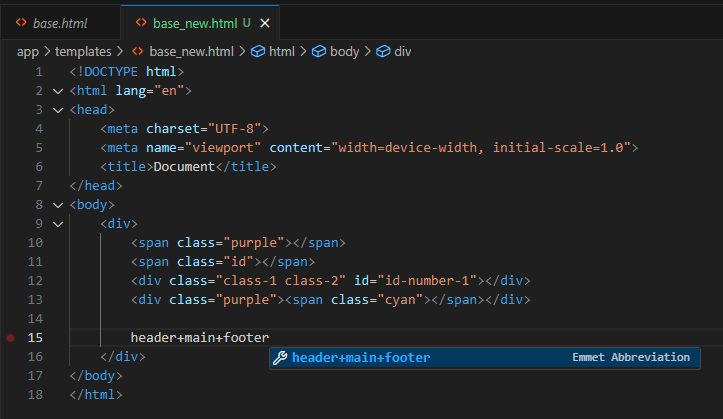
add sibling elements.png
FIGURE 25 ⋅ add sibling elements.png

Becomes:

add sibling elements complete.png
FIGURE 26 ⋅ add sibling elements complete.png

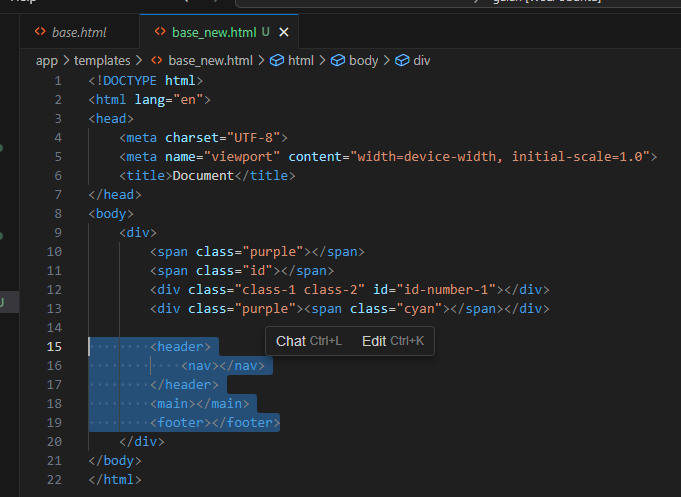
Group elements together to implement more complex, yet readable, structures. For example, if we wanted a <header> with a <nav> child, then the <main> and <footer> siblings as before, we can group with the ( ) operators.
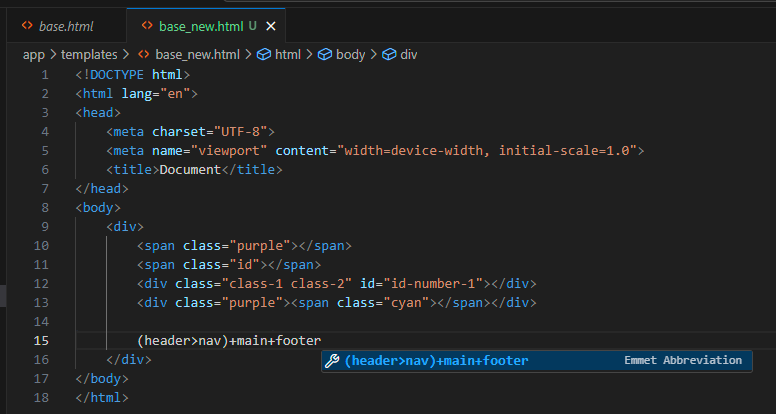
group elements.png
FIGURE 27 ⋅ group elements.png

Becomes:

group elements complete.png
FIGURE 28 ⋅ group elements complete.png

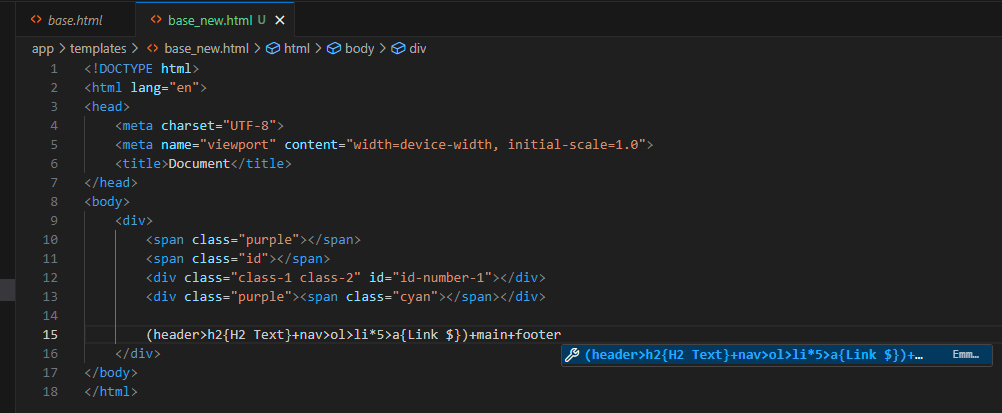
Let’s combo it up! We want:

  • Header
    • H2, with text
    • Nav
      • Ordered List
      • 5 list elements, with links (anchor tags)
  • Main
  • Footer

To accomplish this, we write:

combo.png
FIGURE 29 ⋅ combo.png

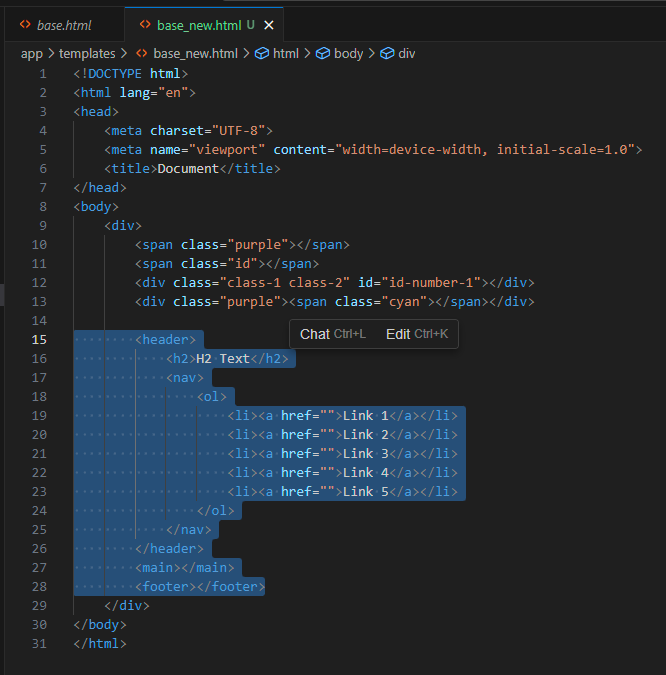
Which becomes:

combo complete.png
FIGURE 30 ⋅ combo complete.png

Building Forms using Emmet

corey@gallon.me:~$ tail -f /writing Attach to the stream. An email when I have something worth sending. Replies encouraged!
corey@gallon.me:~$ ls -lt /til ↑2024-10-15 neofetch for Linux system info summary
▸2024-10-10 Emmet Abbreviations in VSCode ⋅ you are here
↓2024-10-06 Installing Racket (Scheme) in WSL